
Step 8 · Easy Studio
Ready to create.
Review the summary, then click Create my video (or Create my image).
Nothing is generated until you click — go back to change any step first. Generation then runs in place on this screen: download your result when it’s ready, then optionally Open Expert Studio (it doesn’t open automatically).
What you'll see
- Summary of format, engine, recipe, character, idea, look, and frame
- Main button: Create my video (or Create my image)
- Your result appears on this screen; then download your image or video
- Optional: Open Expert Studio (not an automatic redirect)
Do this
- Review the summary; go back if you need to change a step.
- Click Create my video (or Create my image).
- Wait for generation to finish in-place.
- Download your image/video.
- Optionally use Open Expert Studio if you want the full workspace.
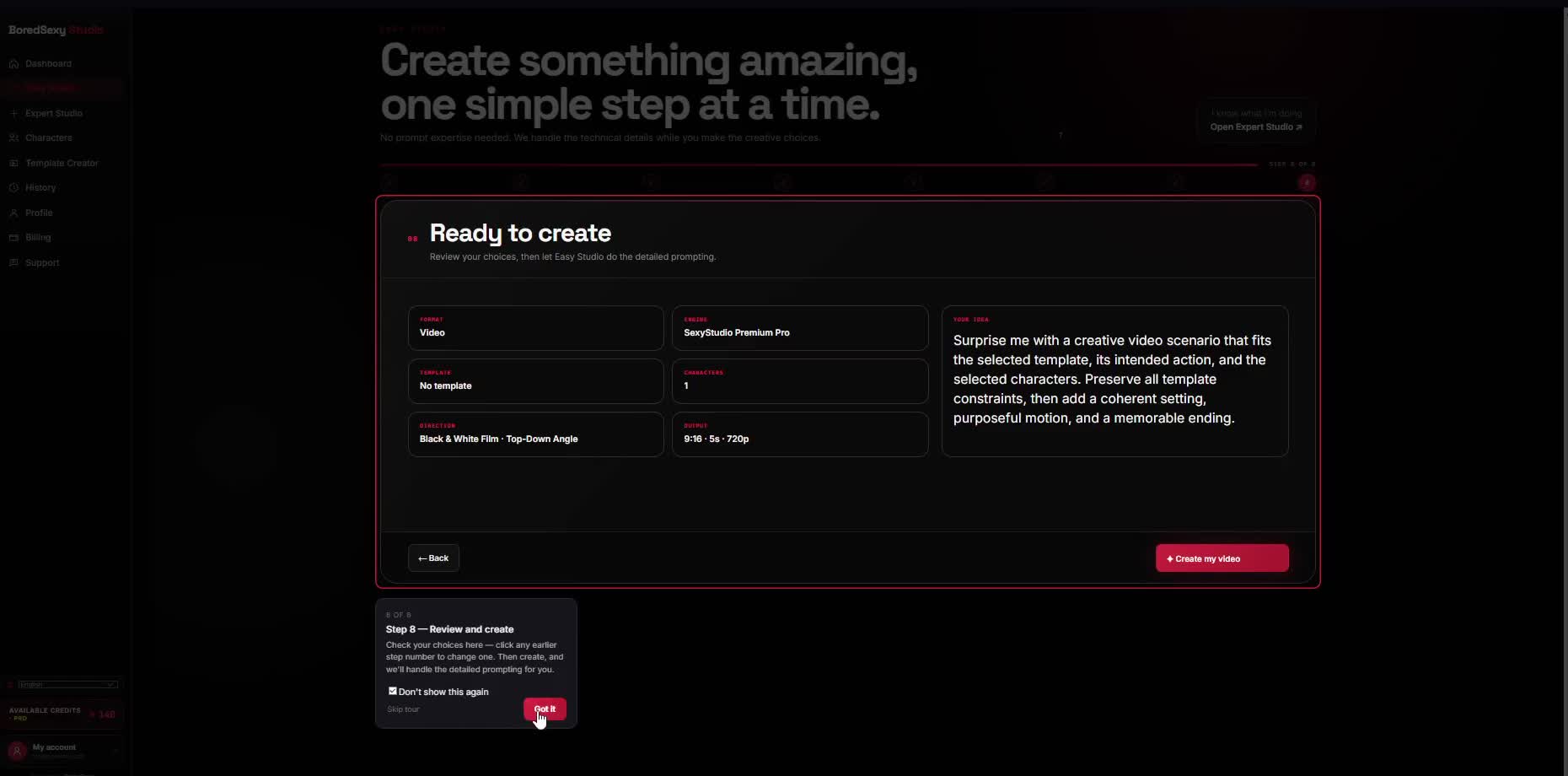
ClickCreate my video / Create my image
ThenDownload your image/video
OptionalOpen Expert Studio