
Dashboard
Dashboard.
Three entry blocks · credits top-right · Recent generations grid. Sidebar lists full rail destinations.
The Dashboard is where you choose how you want to create. Three entry blocks sit alongside your credits and recent work.
What you'll see
- Easy Studio — guided path (marked Best for beginners)
- Character Builder — reusable identities
- Expert Studio — full controls
- Credits gauge / available credits
- Recent generations — Successful tiles (thumbnails) and Failed tiles when jobs don’t complete
- Sidebar (always available): Dashboard, Easy Studio, Expert Studio, Characters, Template Creator, History, Profile, Billing, Support
Do this
- Scan the three entry blocks and your credits.
- Optionally glance at Recent generations for Successful or Failed tiles.
- Select Easy Studio to start the guided wizard.
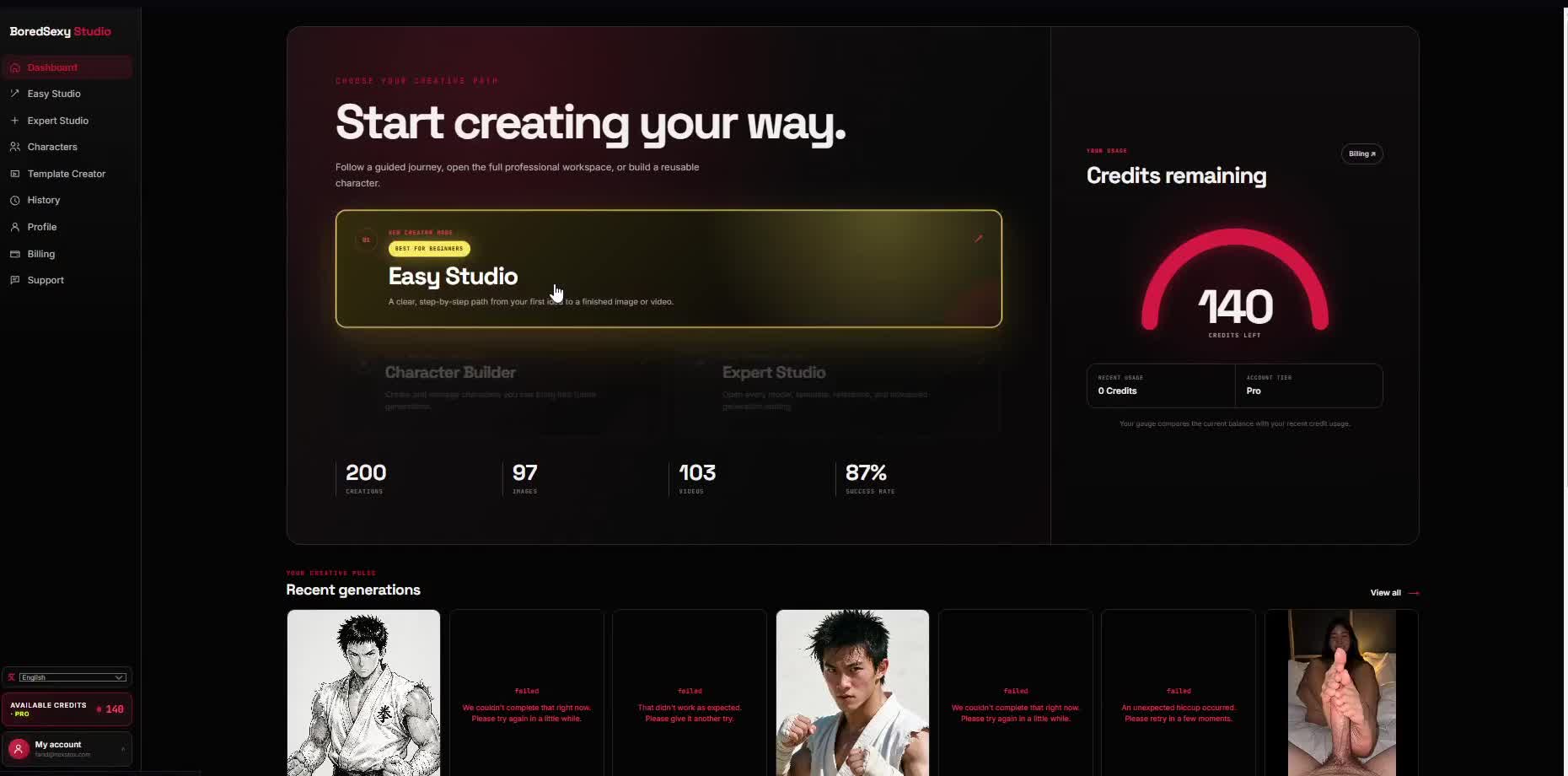
BlocksEasy Studio · Character Builder · Expert Studio
CreditsTop-right
GridRecent generations
NextSelect Easy Studio
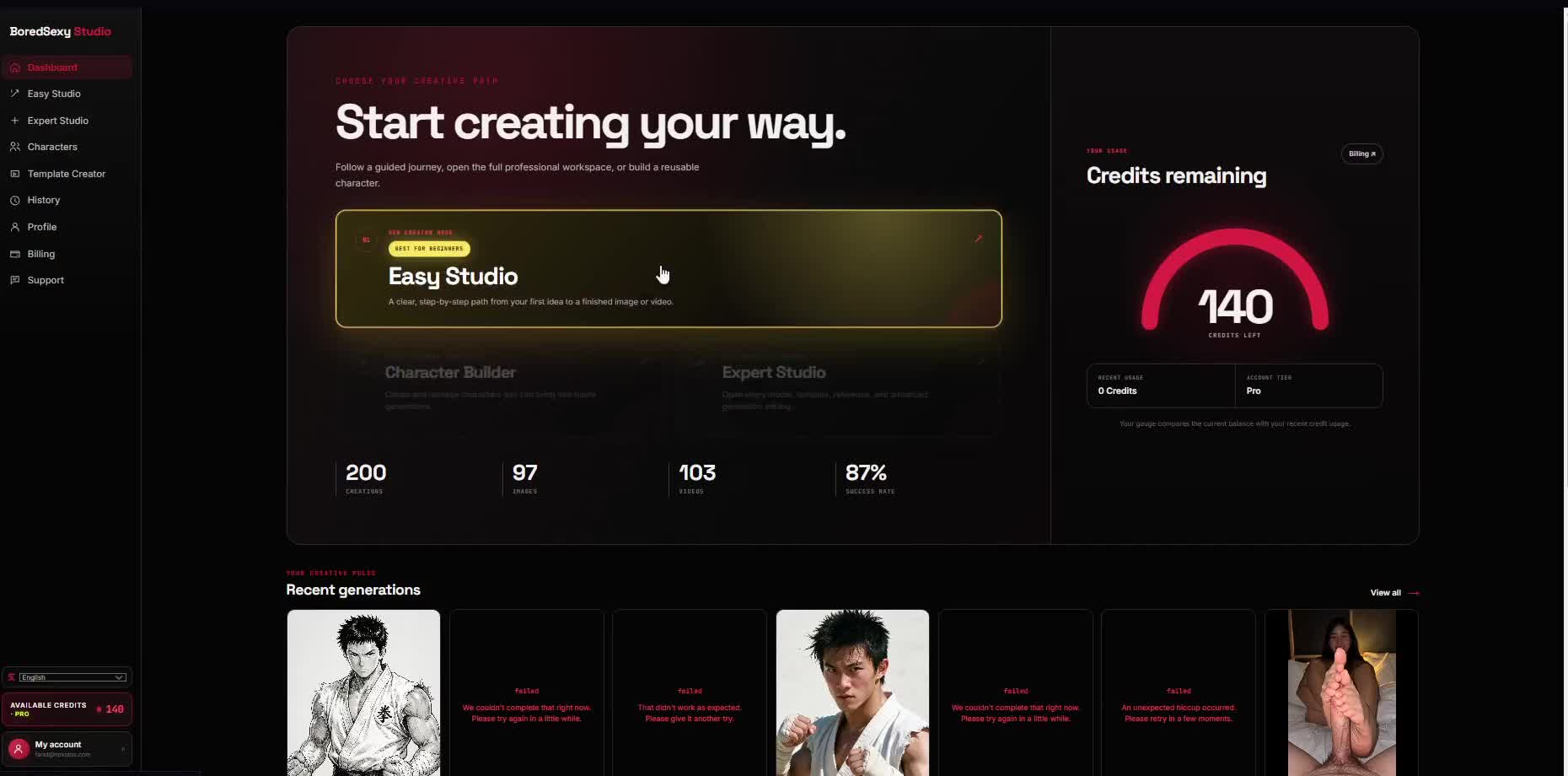
01Dashboard
02Easy Studio
03Expert Studio
04Characters
05Template Creator
06History
07Profile
08Billing
09Support